How-To GuidesSettings
Preferences
Customize workflow defaults, features, and the look of your dashboard.
Overview
Preferences control default behaviors and let you tailor the dashboard to how you work. Manage them under SettingsPreferences. All settings save automatically.
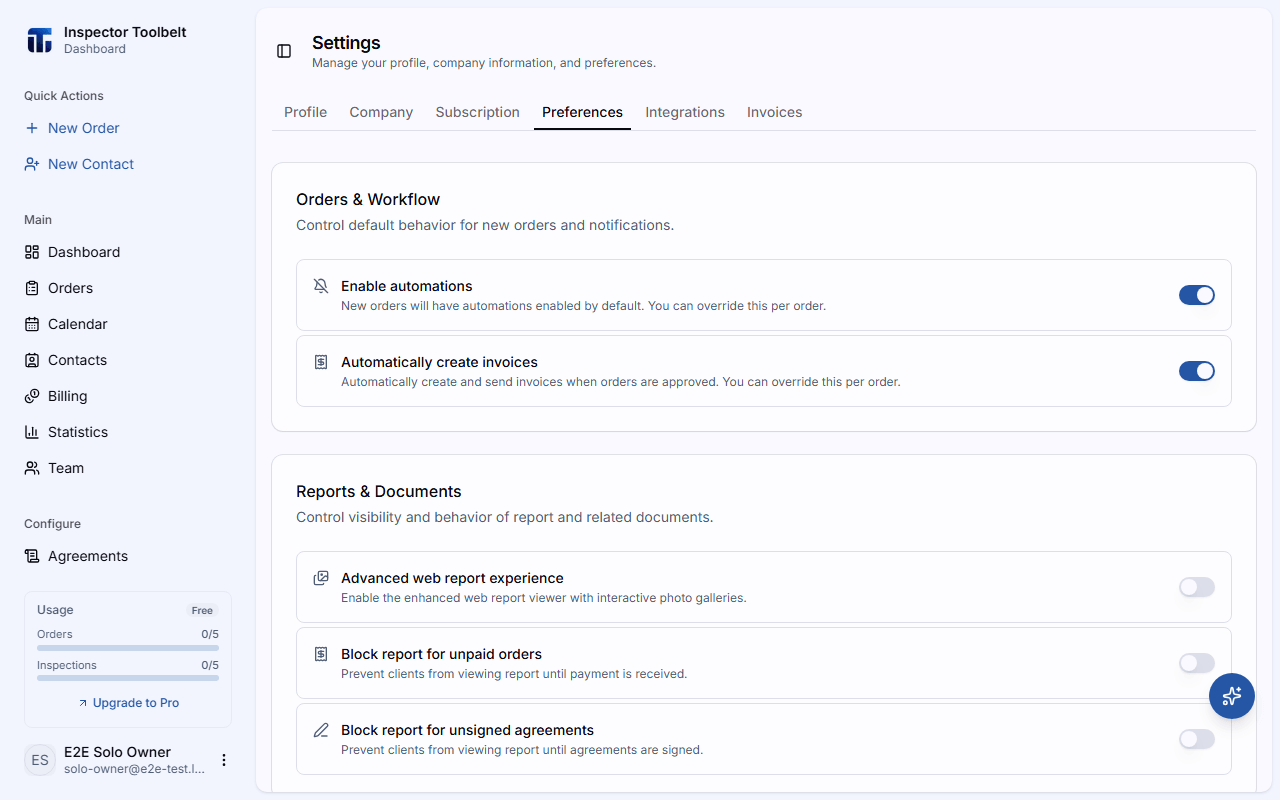
Orders & Workflow
Defaults applied to new Orders:
| Setting | What it does |
|---|---|
| Enable automations | Whether automations run by default on new Orders |
| Automatically create invoices | Auto-create and send an invoice when an Order is approved |
| Auto-approve orders | Automatically approve Orders when they're added to Google Calendar. Only shown when Google Calendar is linked |
Reports & Documents
- Advanced web report experience — enhanced web report viewer
- Block report for unpaid orders — hide the report until the client pays
- Block report for unsigned agreements — hide the report until the agreement is signed
- Repair list — enable the repair list feature (shown once the advanced web report experience is on)
Features
- Auto-generate agreements — build agreements automatically when an Order is approved
- AI Assistant — enable the in-app AI helper
Custom Lists
Tailor the dropdown options you use throughout the dashboard:
- Custom Referral Sources — how clients heard about you
- Custom Contact Types — categories for your contacts
- Location Tags — options like Floor, Room, and Direction
- Offline Payment Methods — labels for payments taken outside Stripe
Dashboard Widgets
Reorder and show or hide the cards on your dashboard home. Drag to reorder; paired widgets (↔) display side-by-side. You can also choose which Sidebar Quick Actions appear.