Getting Started
Your Dashboard
Understand the home screen and what each widget shows.
Overview
The dashboard is your home screen — a snapshot of your business right now. It's the first thing you see when you sign in.
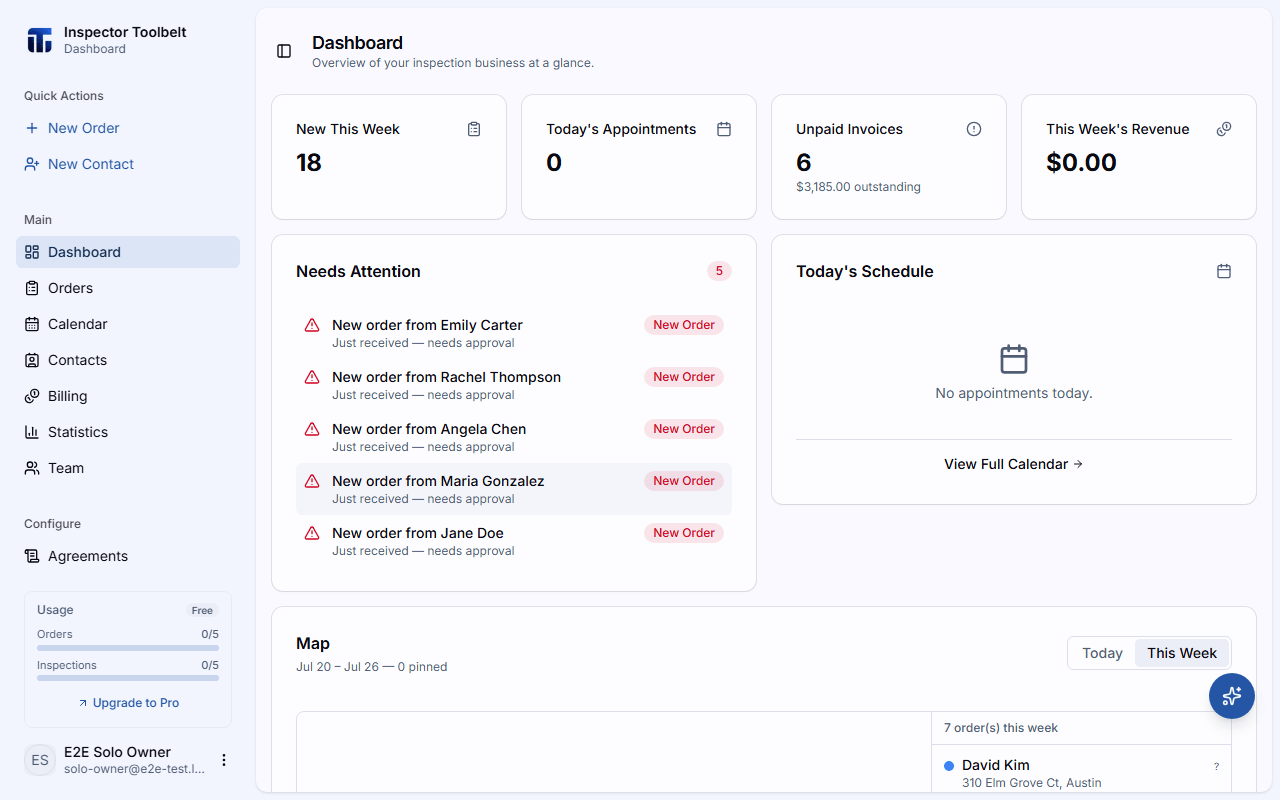
The Widgets
| Widget | What it shows |
|---|---|
| KPI Cards | New This Week, Today's Appointments, Unpaid Invoices (with total outstanding), and This Week's Revenue |
| Needs Attention | Items waiting on you — Orders needing approval, overdue invoices, and unassigned appointments. Click any item to jump straight to it |
| Today's Schedule | Today's appointments in time order, with paid/unpaid badges |
| Map | A map of your Orders for today or this week, with directions and street view |
Make it yours
You can reorder or hide these widgets. See Preferences to customize your dashboard layout.