Creating Agreements
Set up service agreements and get electronic signatures from clients.
Overview
Agreements are customizable documents that clients sign before or after an Order. Common uses include service contracts, inspection agreements, and liability waivers.
Building Your Agreement
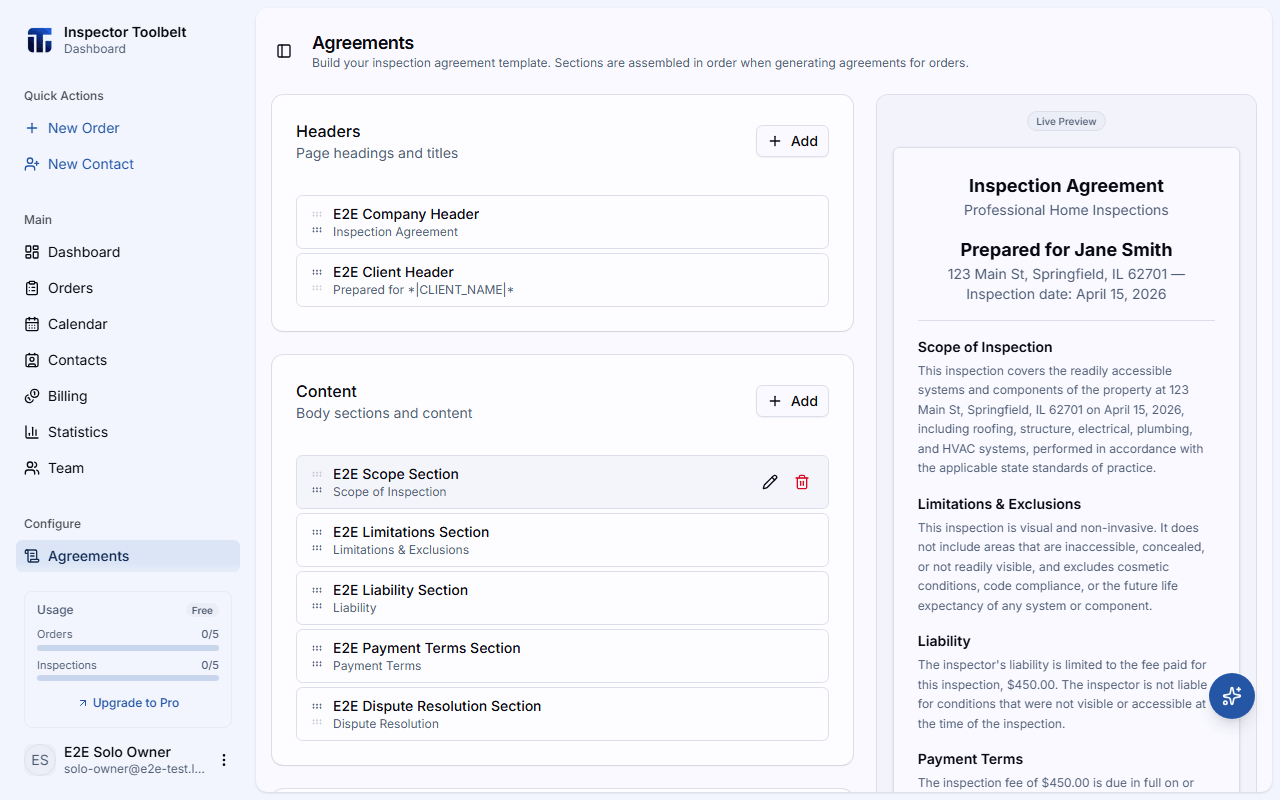
Navigate to Agreements in the sidebar. The page is a live agreement builder organized into three section groups.
Add Your Sections
An agreement consists of three section types:
| Section | Description |
|---|---|
| Header | Your company branding and agreement title |
| Content | Body text, terms, and conditions (supports rich text) |
| Footer | Signature blocks — can include Text, Client Signature, Inspector Signature, and Date fields |
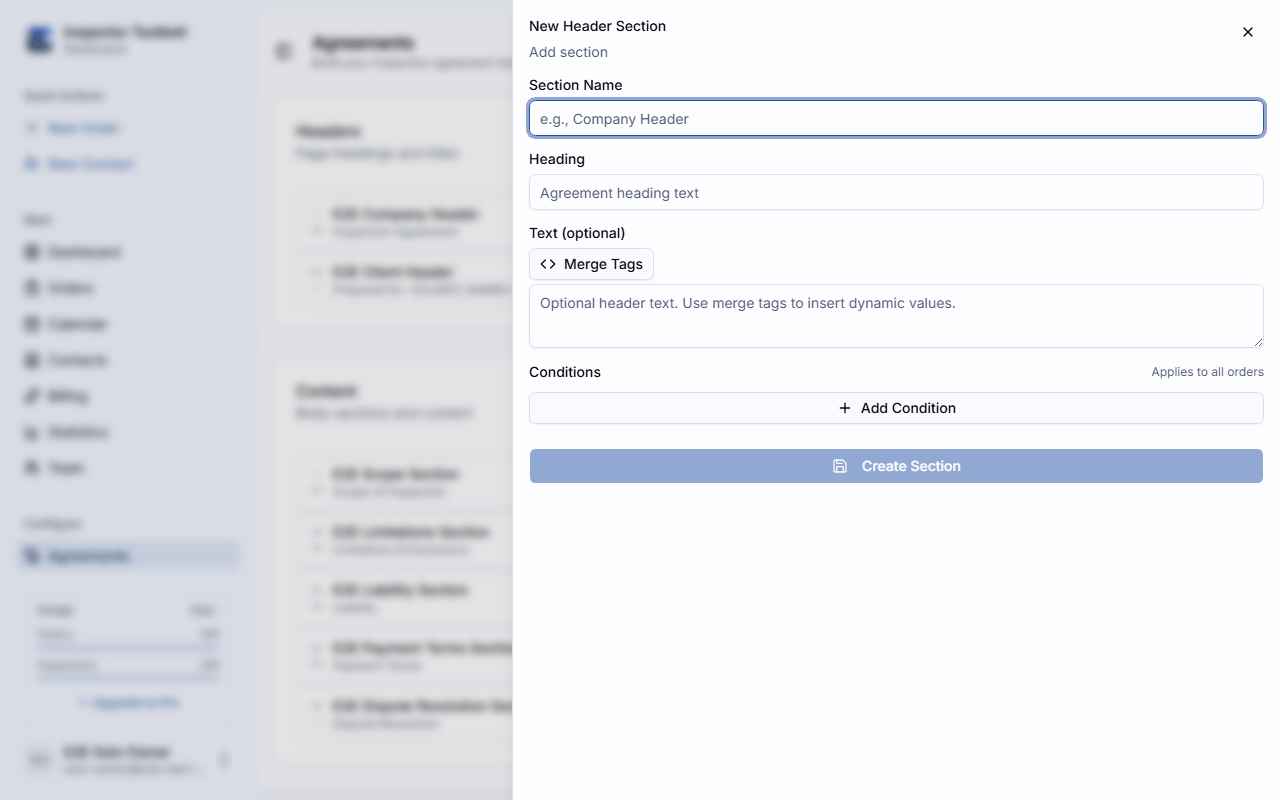
Click Add on any section group to create a new section within it. Fill in the section name and content, then click Add section to save it.
Review the Preview
A live preview updates as you add and reorder sections. Use the move up/down controls on each section to adjust ordering.
Available Merge Tags
Merge tags use the *|TAG_NAME|* format and are replaced with real values when the agreement is generated for an Order.
| Tag | Value |
|---|---|
| `* | CLIENT_NAME |
| `* | DATE |
| `* | CURRENT_DATE |
| `* | INSPECTION_ADDRESS |
| `* | INSPECTION_FEE |
Attaching to Orders
Agreements are automatically generated when an Order is approved. The system evaluates each agreement section's conditions against the Order details and includes only the matching sections.
The client receives a link to review and sign the agreement electronically.
Conditional Sections
You can set conditions on each agreement section to control when it appears. Conditions can be based on:
- Inspection Type — only include for specific service types
- Additional services — include when certain add-on services are selected
- Additional information — include based on details specific to the Order
- State/Region — include for specific geographic regions