Template Marketplace
Install ready-made report templates from the community.
Overview
The marketplace lets you browse and install inspection report templates shared by the community, so you don't have to build one from scratch. Every template is free.
For report-enabled accounts
Installed templates join your own report templates and work with your rating systems and comment library.
Browsing
Navigate to Templates in the sidebar and open the Marketplace tab.
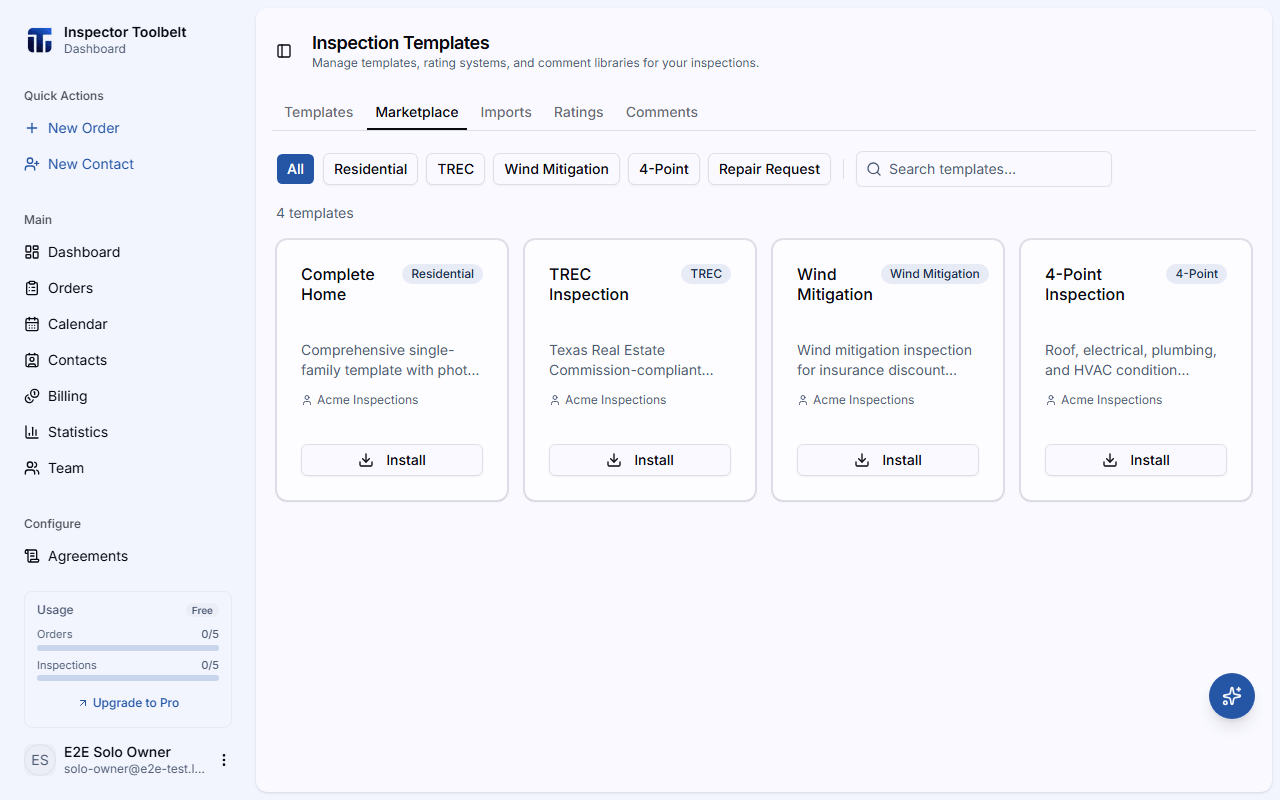
Use the search box to find templates by name, description, or author, and filter by category: All, Residential, TREC, Wind Mitigation, 4-Point, or Repair Request. Click any template card to see its full description, author, and section list.
Installing a Template
Click Install on a card, or Use This Template from its detail view.
In the Install Template dialog, give the template a Template Name and choose a Default Rating System, then click Install.
Where it lands
The installed template is added to your Templates tab, where you can edit and use it like any template you built yourself. From there it's available when you write a report.