Comment Library
Build a library of reusable comments to speed up report writing.
Overview
The comment library holds pre-written narrative comments you can drop into a report instead of typing them each time — for example a standard note about damaged roof shingles. Comments are searchable while writing a report.
For report-enabled accounts
The comment library is part of the inspection reporting tools, alongside report templates and rating systems.
Managing Comments
Navigate to Templates in the sidebar and open the Comments tab.
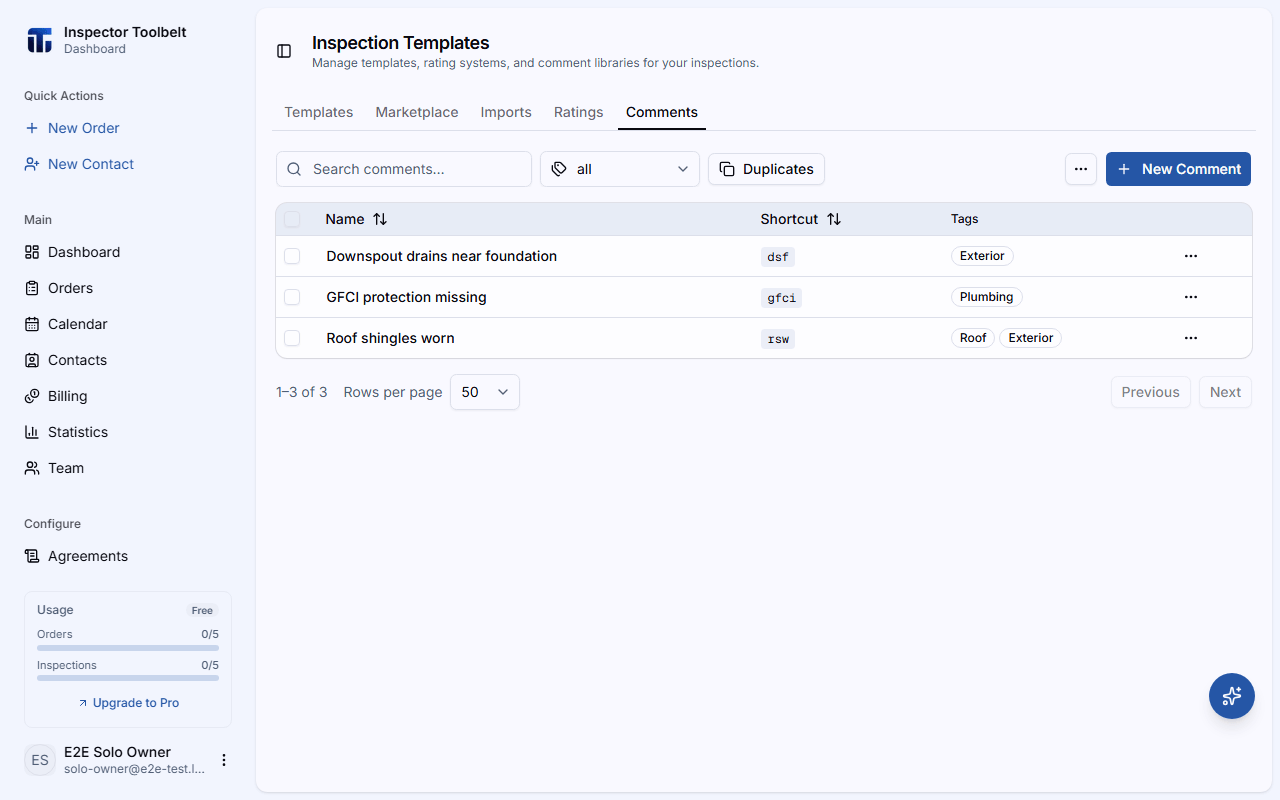
Create a Comment
Click New Comment and fill in:
| Field | Description |
|---|---|
| Name | A short title (e.g., "Roof shingles damaged") |
| Shortcut | An optional shorthand for quick insertion |
| Tags | Labels for organizing and filtering |
| Comment | The narrative text inserted into the report |
| Standards Definition | An optional standards reference |
Organize
Use the search box and the All Tags filter to find comments. Select multiple comments to Add Tag or Delete Selected in bulk.
Import, Export, and Deduplicate
- Import CSV — bulk-add comments from a spreadsheet (columns: name, shortcut, severity, tags, comment, standards definition)
- Export CSV — download your library
- Duplicates — find and resolve comments with the same name
Using comments in a report
While writing a report, open an item and search the library to insert a comment. You can still edit the text after inserting it for that specific report.