Rating Systems
Build the rating scales inspectors use to grade report items.
Overview
A rating system is the set of grades an inspector can apply to an item in a report — for example Good, Minor, or Significant. Each report template has a default rating system, and the same system can be reused across many reports.
For report-enabled accounts
Rating systems, report templates, and the comment library are part of the inspection reporting tools.
Managing Rating Systems
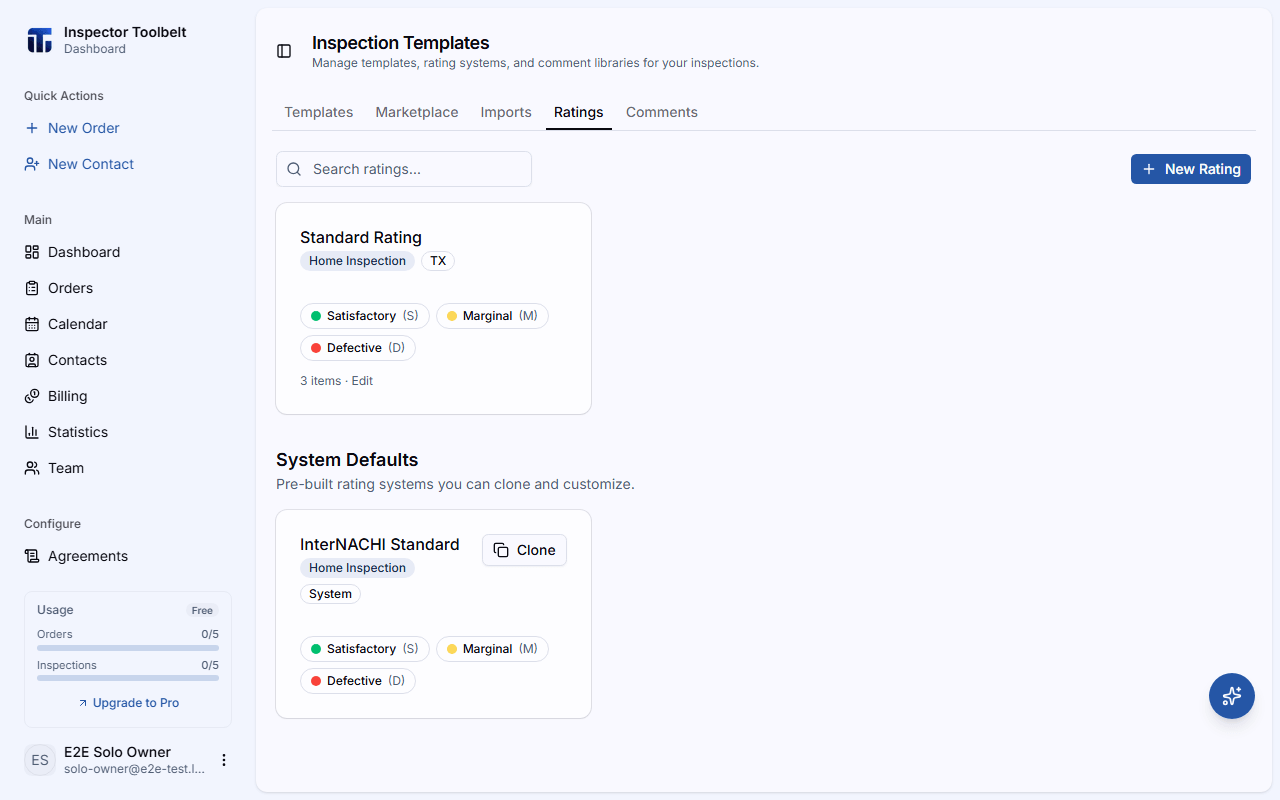
Navigate to Templates in the sidebar and open the Ratings tab.
Create a Rating System
Click New Rating and give it a Name (e.g., "TREC", "Default", "4-Point"). Optionally set an Inspection Type and State to help you find it later.
Add Rating Items
Under Rating Items, click Add Item for each grade. For each item, set:
| Field | Description |
|---|---|
| Item name | The grade shown to inspectors (e.g., "Good") |
| Code | An optional short code |
| Description | Optional explanation |
| Severity | One of Good, Informational, Minor, Marginal, or Significant — also determines the color used to highlight the rating in the report |
Drag the handle to reorder items.
Start from a system default
Under System Defaults you can Clone a pre-built rating system into your own library and adjust it, rather than building one from scratch.
How Ratings Are Used
When you build a report template, you choose its Default Rating. While writing a report, the inspector picks a rating from that system for each item — and the item's severity drives what appears in the report summary.