Coupons
Create discount codes clients can apply on your booking page.
Overview
Coupons are discount codes clients enter on your booking page to get a percentage or fixed-amount discount. You control when they expire, how many times they can be used, and any minimum order amount.
Managing Coupons
Navigate to SchedulingCoupons.
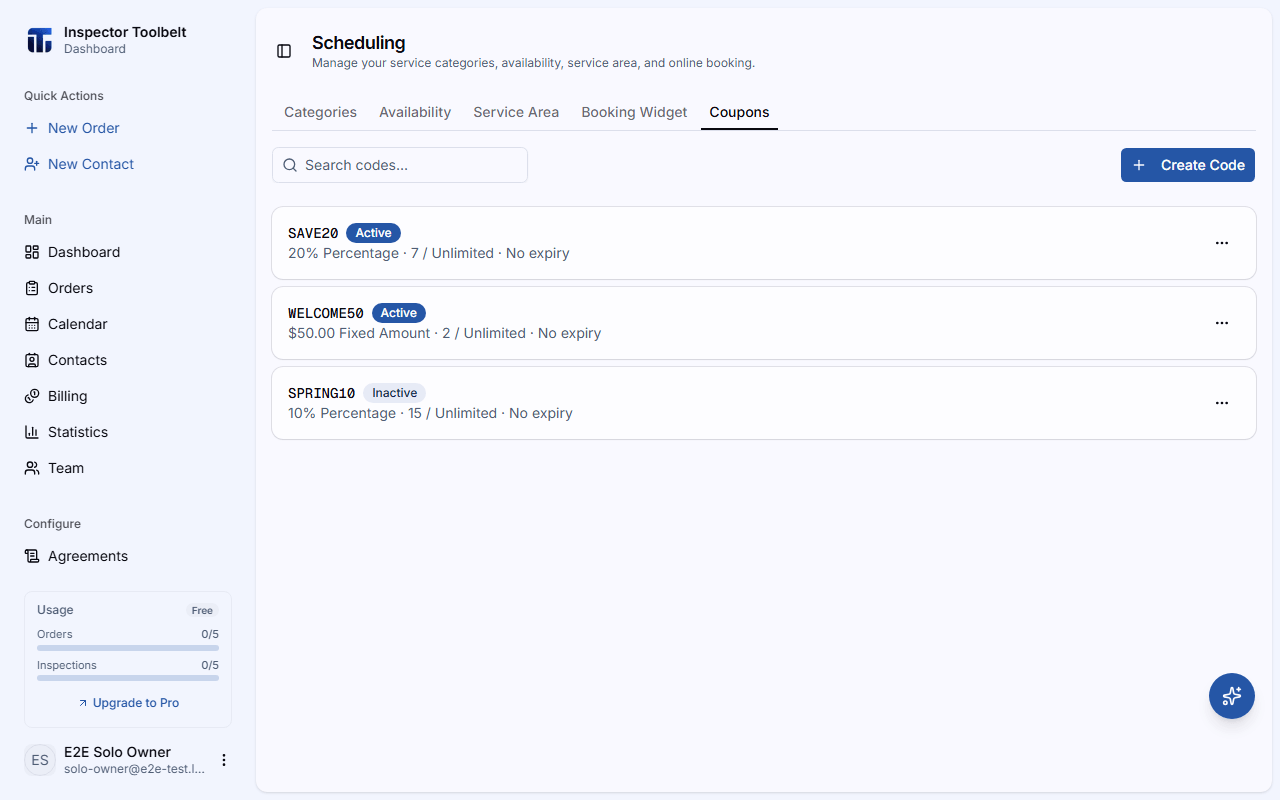
Create a Code
Click Create Code. Enter a Code (or click Generate Code for a random one — codes are always stored in uppercase).
Set the Discount
Choose a Type and Value:
| Type | Value |
|---|---|
| Percentage | A percentage off (up to 100%) |
| Fixed Amount | A fixed amount off in your currency |
Set Limits (Optional)
| Setting | What it does |
|---|---|
| Expires | The date the code stops working (leave blank for No expiry) |
| Usage Limit | Total times the code can be used across all clients (blank = Unlimited) |
| Per-Client Limit | How many times a single client can use it |
| Minimum Order | The minimum booking amount before the discount applies |
Toggle Active on, then click Create Code.
Editing and Deactivating
Click any coupon to edit it. From the row's menu you can also Activate / Deactivate a code without deleting it, or Delete it (with confirmation).
What clients see
If a code is invalid, the booking page tells the client why — for example that it has expired, reached its usage limit, been used already, or that the minimum order amount hasn't been met.